
Session Replay
Visual proof of every consent interaction
Comprehensive consent documentation with full session replay. See exactly what the consumer saw, clicked, and agreed to.
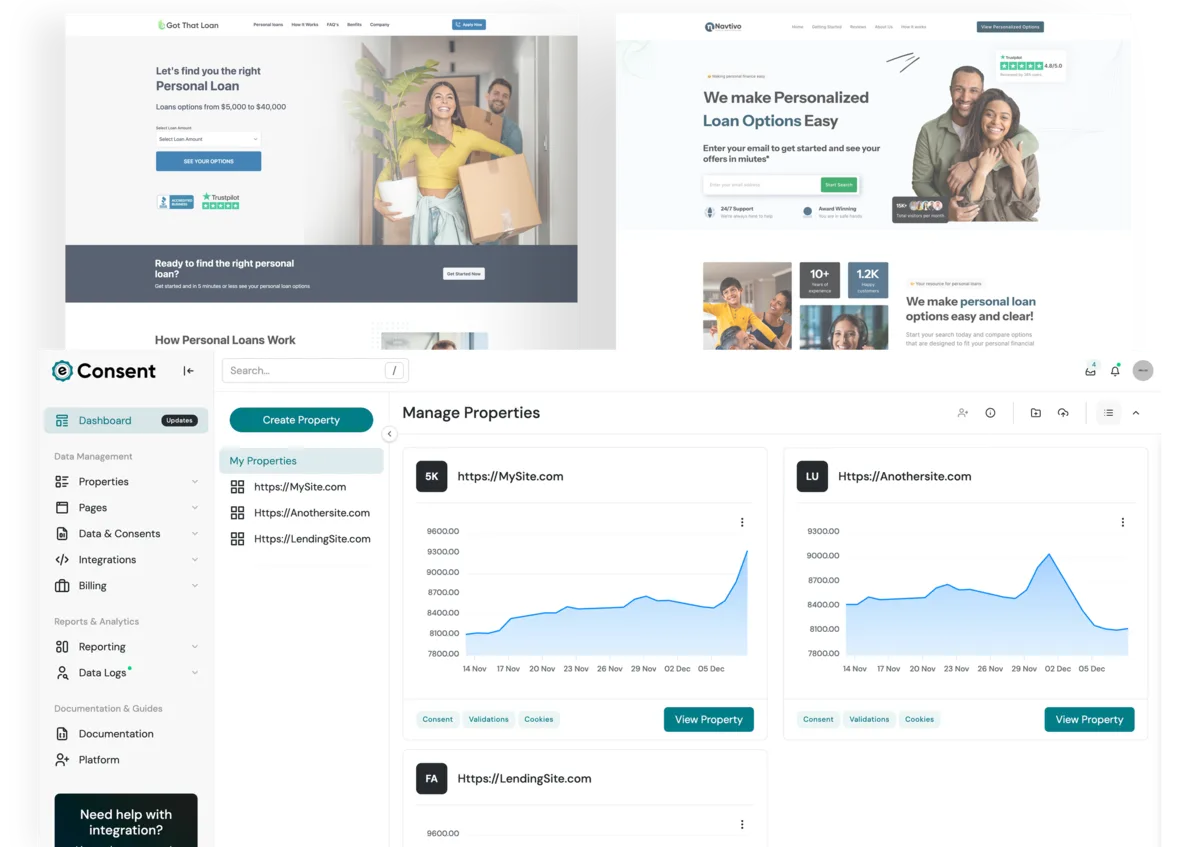
Captured Data
What gets recorded
Built on rrweb, the open-source session recording library used by companies like PostHog and Highlight. Instead of recording video, rrweb captures DOM snapshots and incremental mutations — producing lightweight, pixel-perfect replays that are smaller than a screenshot.
Full page state captured at session start. Every element, style, and attribute — exactly as the consumer saw it.
Every change after the initial snapshot: elements added, removed, or modified. Captures dynamic consent language updates.
Every cursor movement, click, and scroll event with millisecond precision. Proves the consumer actively navigated and clicked.
Field focus, input changes, checkbox toggles, dropdown selections. See the consumer filling out the form in real time.
Style mutations, class toggles, and media query changes. If the disclosure styling changed mid-session, you'll see it.
Every event is timestamped to the millisecond. Page load, consent displayed, checkbox checked, form submitted — all on a timeline.
Privacy Controls
Privacy-first recording
We capture what's needed for consent verification, not surveillance. Sensitive data is masked at the recording level — it never reaches our servers.
Password fields, SSN inputs, and credit card fields are masked by default. The replay shows asterisks, not actual values.
We record input value changes, not individual keystrokes. No keylogger behavior, ever.
Mark any element or field as sensitive with a data attribute. It will appear redacted in every replay.
Only core consent fields (name, email, phone) are captured by default. Additional fields require explicit whitelisting in your configuration.
/* In the replay, you'll see: */

Name:    John Smith
Email:   john@example.com
Phone:   +1 (555) 123-4567
SSN:     ********** masked
Password:********** masked
Card:    ********** masked
Sensitive fields are replaced at the recording level — raw values never leave the browser.
Evidence Quality
Why session replay beats screenshots
A screenshot proves what a page looked like at one moment. Session replay proves what the consumer actually experienced — every scroll, every click, every second.
Full user experience
Screenshots capture one frame. Session replay captures the entire journey — from page load to form submission. You can prove the consumer scrolled past the disclosure, read it, and then opted in.
Timestamped interactions
Every mouse movement, click, and form interaction is timestamped to the millisecond. Build a forensic timeline of exactly when consent was given and what the consumer did to give it.
Proves what was visible
Dynamic pages change based on viewport, device, and user behavior. Session replay captures the exact DOM the consumer saw — including responsive layouts, conditional disclosures, and A/B test variants.
Tamper-evident via HMAC signing
Every recording is signed with an HMAC hash at capture time. If a single byte is modified after the fact, the signature breaks. Your evidence is cryptographically verifiable.
Public Verification
Anyone can verify. No login required.
Every consent certificate includes a public verification URL and QR code. Lawyers, compliance teams, lead buyers, and regulators can view the full session replay and certificate details without creating an account.
Share a direct link to the certificate page. Displays the session replay, disclosure text, consumer data, and HMAC signature.
Print or PDF the certificate and the QR code still works. Scan it from a phone to pull up the interactive replay instantly.
Send certificate links alongside your leads. Buyers can verify consent quality before purchasing — increasing trust and lead value.
Storage & Retention
7-year immutable retention
TCPA litigation can surface years after consent was given. Your recordings are stored with the same durability standards as financial records — immutable, redundant, and always accessible.
S3 Object Lock (WORM)
Recordings are stored with Write Once, Read Many compliance. Once written, they cannot be modified or deleted — not even by us.
EFS for active recordings
Recent recordings are stored on high-performance EFS for instant replay. Accessed frequently during lead validation and compliance checks.
MP4 conversion
Every session replay is automatically converted to MP4 video for offline archival. Download and submit as evidence in any format courts accept.
Integration
Works with any form. Zero modifications.
Add one script tag. Mark your form with a data attribute. Session recording starts automatically on page load. No SDK to install, no build step, no backend changes.
React, Vue, Angular, Next.js — the recorder tracks DOM mutations natively. No framework-specific adapters needed.
Recording persists across steps, tabs, and page transitions. The full journey is captured as one continuous session.
Cross-origin iframes are captured alongside the parent page. Embedded forms, third-party widgets — all recorded.
Unbounce, Leadpages, ClickFunnels, WordPress — if it renders HTML, our script works. Paste and go.
<!-- 1. Add the eConsent script -->
<script src="https://cdn.econsent.org/web.min.js"
        data-site="YOUR_SITE_ID"></script>

<!-- 2. Mark your form -->
<form data-econsent="true">
  ...your existing form fields...
</form>

<!-- That's it. Recording starts on load. -->
Get started today
Start recording consent today
Add one script tag to your page. Every form submission becomes a tamper-evident, replayable consent record stored for 7 years.